Google Play Console: Android listing and reviews
Connecting Play Console gives Appwin the Android side of ASO: store listing, reviews, ratings, and history.
It is the counterpart of App Store Connect. The two are configured independently: you can wire only one, and ASO then shows the connected platform alone.
Access goes through a Google Cloud service account that you then invite into Play Console. Two consoles, and that is where almost every misconfiguration comes from: the key is created on one side, permissions are granted on the other.
You no longer need "API access" under Play Console Settings: Google removed that page. Invite the service account via Users and permissions.
1. Package name
- 1
Collect the package name
Open the Google Play Console and select your app. On the dashboard, the package name sits under the app title.
It is also the
applicationIdin yourbuild.gradle, and the?id=in the Play Store URL.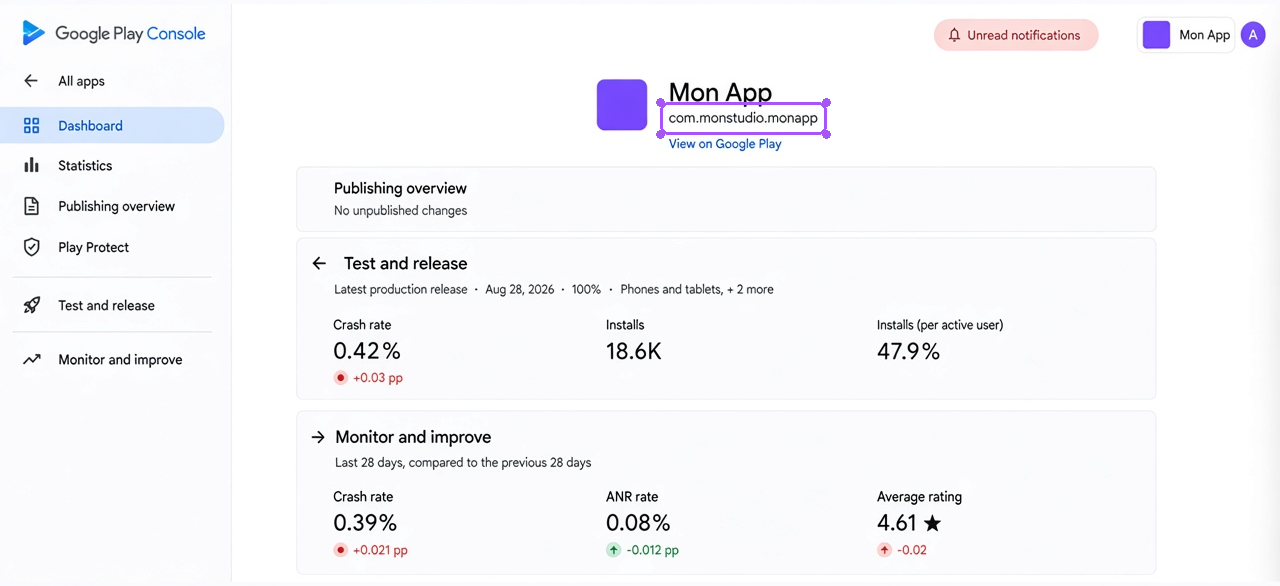
2. Service account
- 1
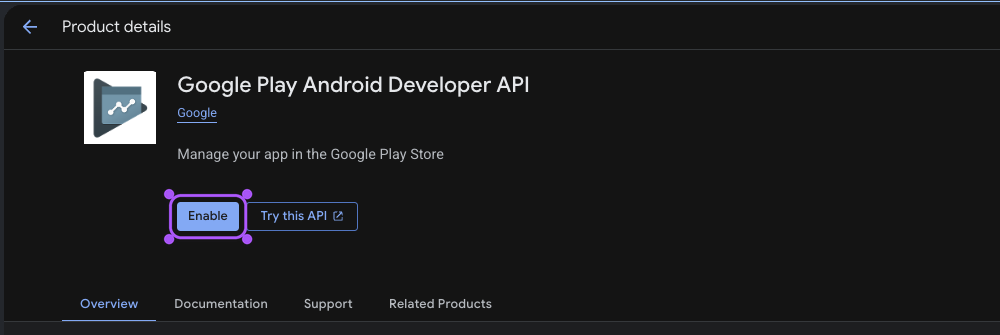
Enable the Android Publisher API
In the Google Cloud console: APIs & Services → Library → enable Google Play Android Developer API.
- 2
Create the service account
IAM & Admin → Service accounts → Create service account (e.g. "appwin") → Done.

- 3
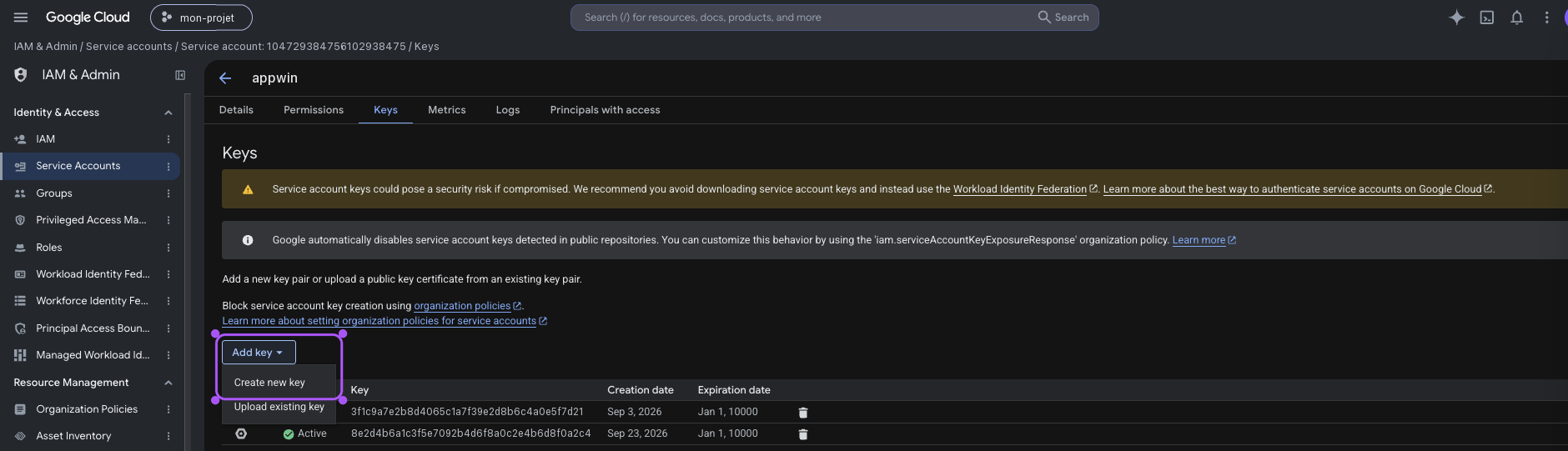
Generate the JSON key
Open the account you created → Keys → Add key → Create new key → JSON. The file downloads. It cannot be re-downloaded: if you lose it, create a new one and delete the old.
- 4
Invite it in Play Console
Play Console → Users and permissions → Invite users.
Paste the service account email (also in the JSON as
client_email, e.g.appwin@my-project-1a2b3.iam.gserviceaccount.com).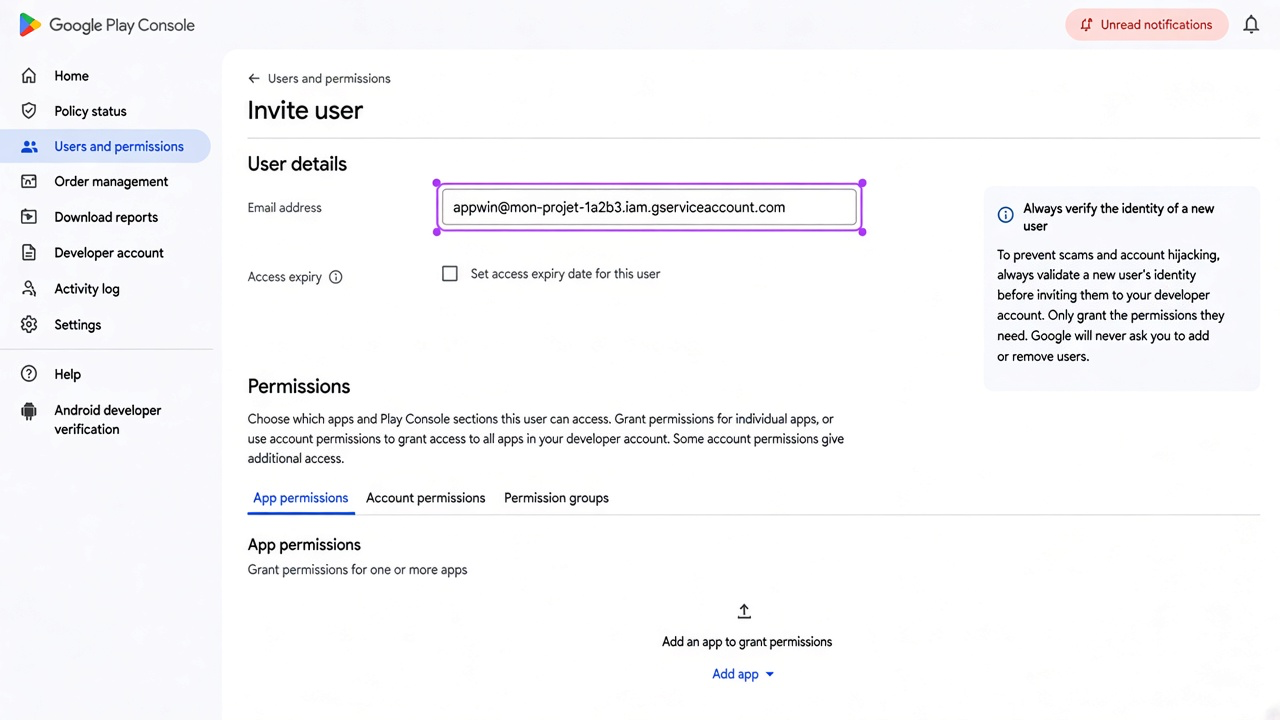
- 5
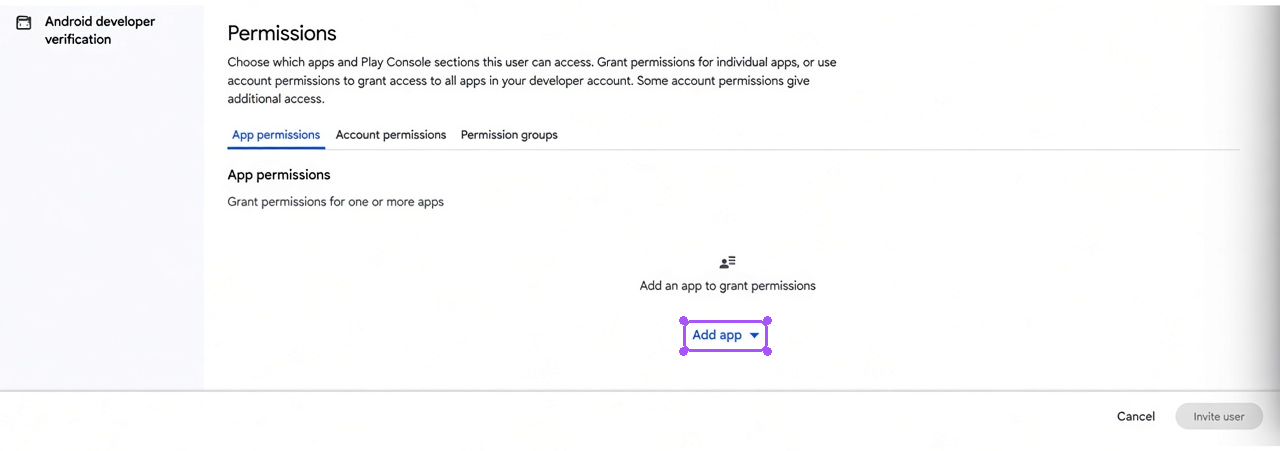
Restrict to your app
Under Permissions → Add app, select your app.
- 6
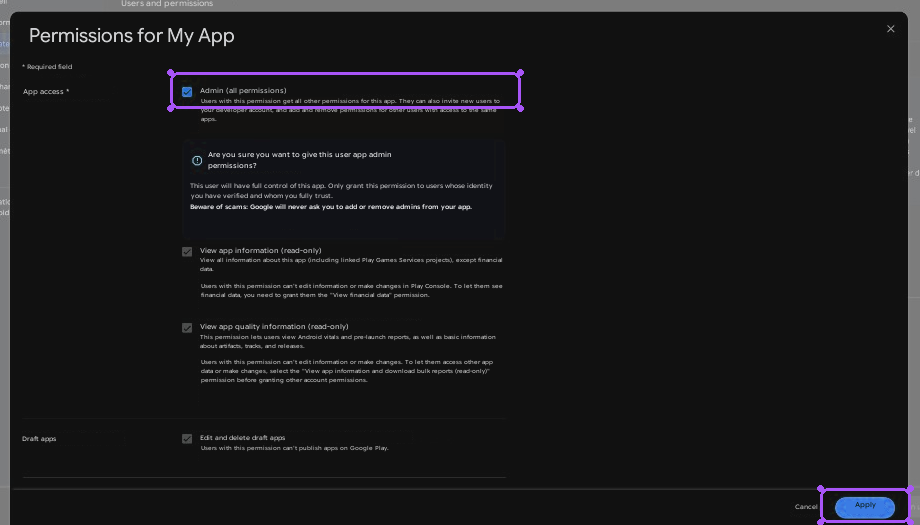
Grant the useful permissions
Tick at least:
Permission Why View app information and download bulk reports Store listing, ratings, stats Reply to reviews Reading reviews, and replying from Appwin Stay on those two. A service account with publish rights can push a release: that is not what we ask of it. Then Apply and Invite user.
Play Console permission propagation sometimes takes several minutes. A 403 right after the invite does not mean the setup is wrong - retry a quarter of an hour later.
- 7
Import the JSON in Appwin
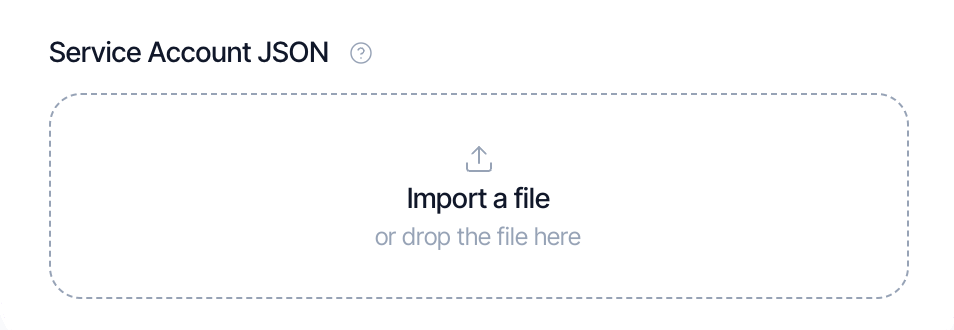
Settings → Projects → your app → Integrations → Google Play Console.
Field Value Package Name com.yourstudio.yourappService Account JSON The full file contents The Import a file button reads the downloaded JSON and fills the field: more reliable than paste.
The file looks like:
{
  "type": "service_account",
  "project_id": "my-project-1a2b3",
  "private_key_id": "…",
  "private_key": "-----BEGIN PRIVATE KEY-----\n…\n-----END PRIVATE KEY-----\n",
  "client_email": "appwin@my-project-1a2b3.iam.gserviceaccount.com",
  "…": "…"
}
The two fields Appwin requires are client_email and private_key. A truncated
or hand-copied JSON is rejected on save, with the missing field named.
What it unlocks
| Data | Where it shows up |
|---|---|
| Android store listing (title, description, visuals) | ASO → Store listing |
| Google Play reviews | ASO → Reviews and ratings |
| Rating history | ASO → Reviews and ratings |
| Android listing audit | ASO → Performance |
Android downloads and revenue do not go through here: on the revenue side, RevenueCat is the source of truth across platforms.
Troubleshooting
| Symptom | Likely cause |
|---|---|
| "Google Play incomplete" | Package name or JSON missing - both are required |
| "Service Account JSON unreadable" | Truncated paste: use the import |
| "Service Account JSON invalid" | client_email or private_key missing from the file |
| 403 right after the invite | Permissions not yet propagated in Play Console |
| Persistent 403 | The service account has no access to this app |
| Empty reviews | The app has no reviews yet on the markets queried |
| Decryption error | Database restored from another environment: re-enter the key |
Next
- App Store Connect - the iOS side
- ASO - what the product does with this data